



My nephews are 6 and 3, and they've got a new baby at home. If you've ever been anywhere near a new baby, you know that grown-up attention gets pretty scarce, pretty fast. So I got to thinking about how I could give those two an outlet of their own.
The easy answer is a tablet and a YouTube app. I didn't want that. I wanted them to have approved television from my own childhood, on a box that only does one thing. That's right. plays retro TV.
So I built them a TV station.
No YouTube, no streaming, no algorithm (well, I guess I am the algorithm).
A Raspberry Pi that only plays channels
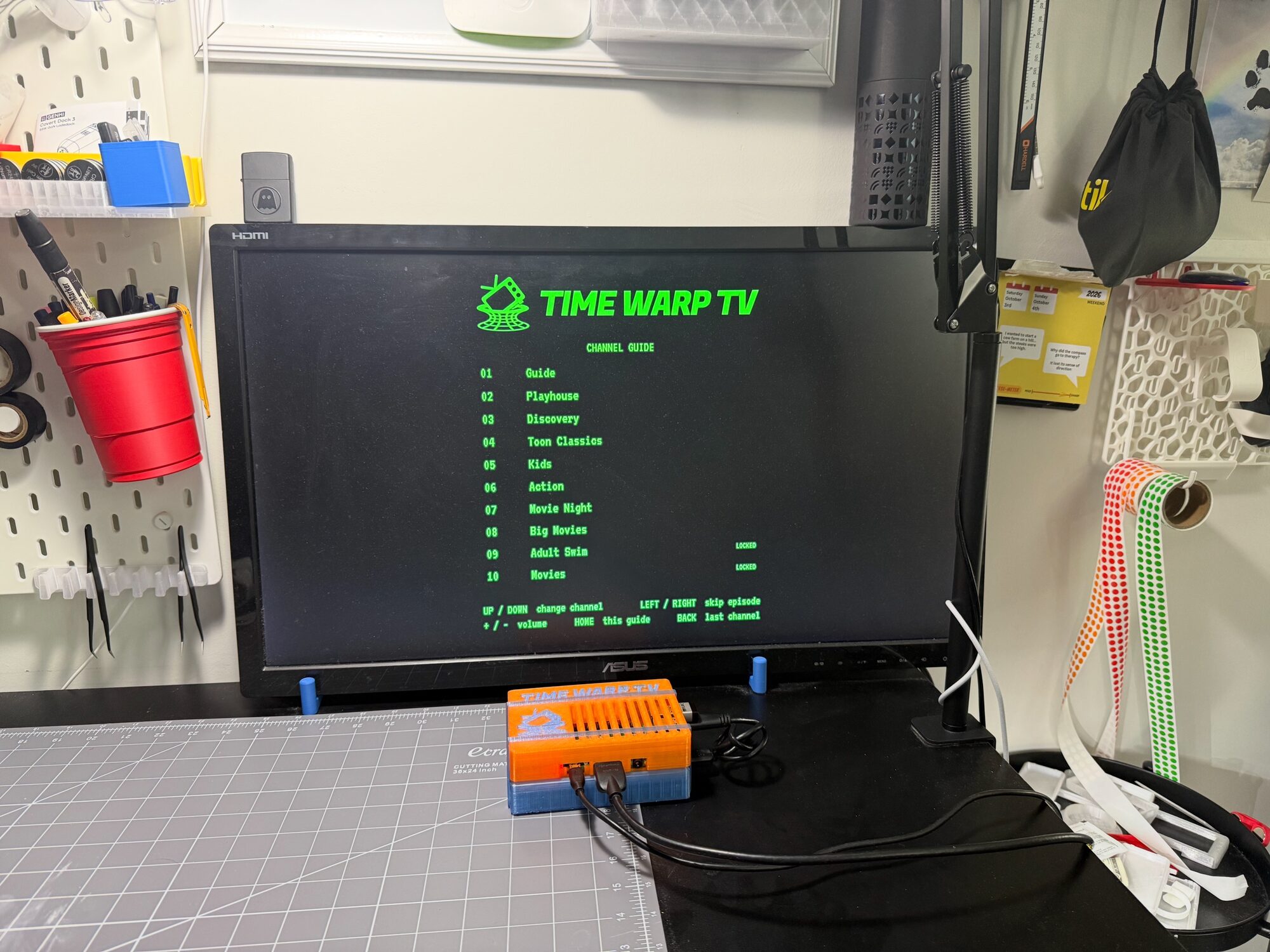
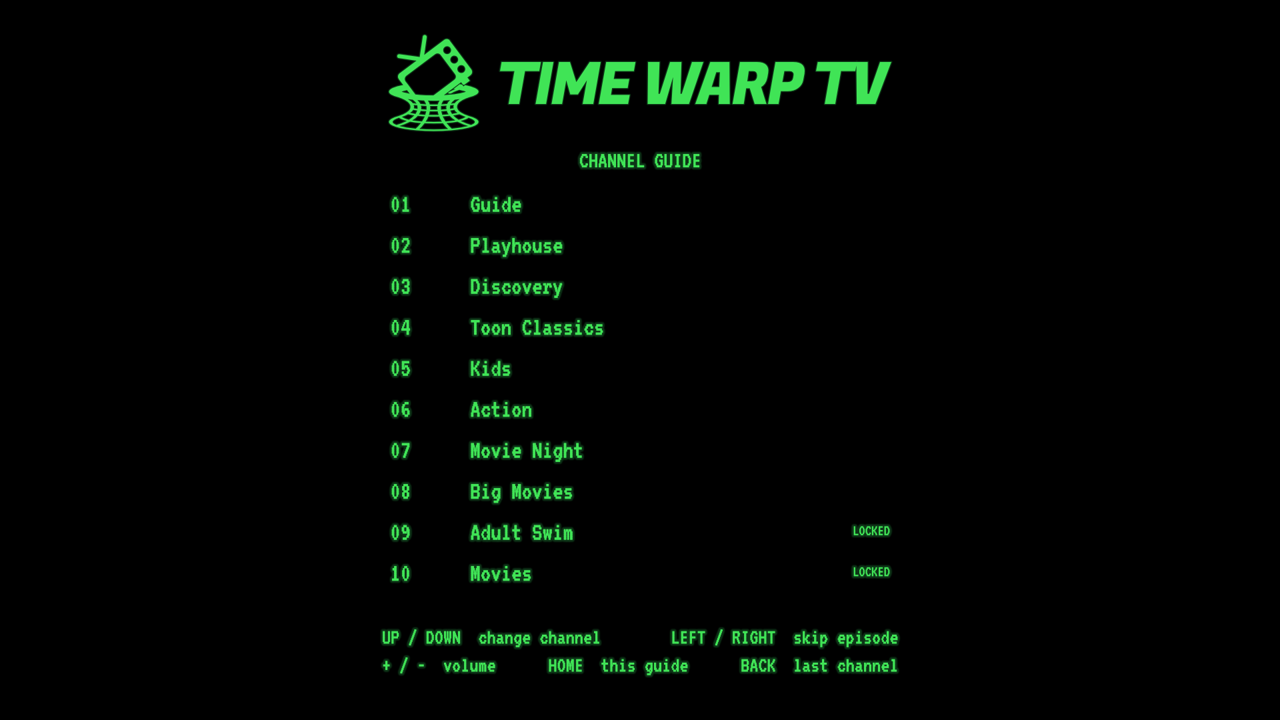
Time Warp TV is an offline retro media player. There are no menus, no apps and nothing to doomscroll. You flip to a channel and something is already playing a few seconds in, like you just tuned in. When the episode ends, the next one rolls on an endless shuffle. It boots straight to the TV on power-up and it never needs the internet.
Channel 1 is the guide. Channel 2 is baby stuff (Wee Sing, Bear in the Big Blue House). Channel 5 is kid prime time (SpongeBob, Ninjago). The channels grow up as you climb, all the way to Adult Swim and the movies on 9 and 10, which sit behind a passcode. Movie channels pick up where you left off, and old commercials or my own "SNACK TIME" cards can play between episodes.
There's also a green channel banner, a volume bar, a curved CRT picture and a bouncing-logo standby screen, because of course there is.
The hardware
The parts list is pretty short:
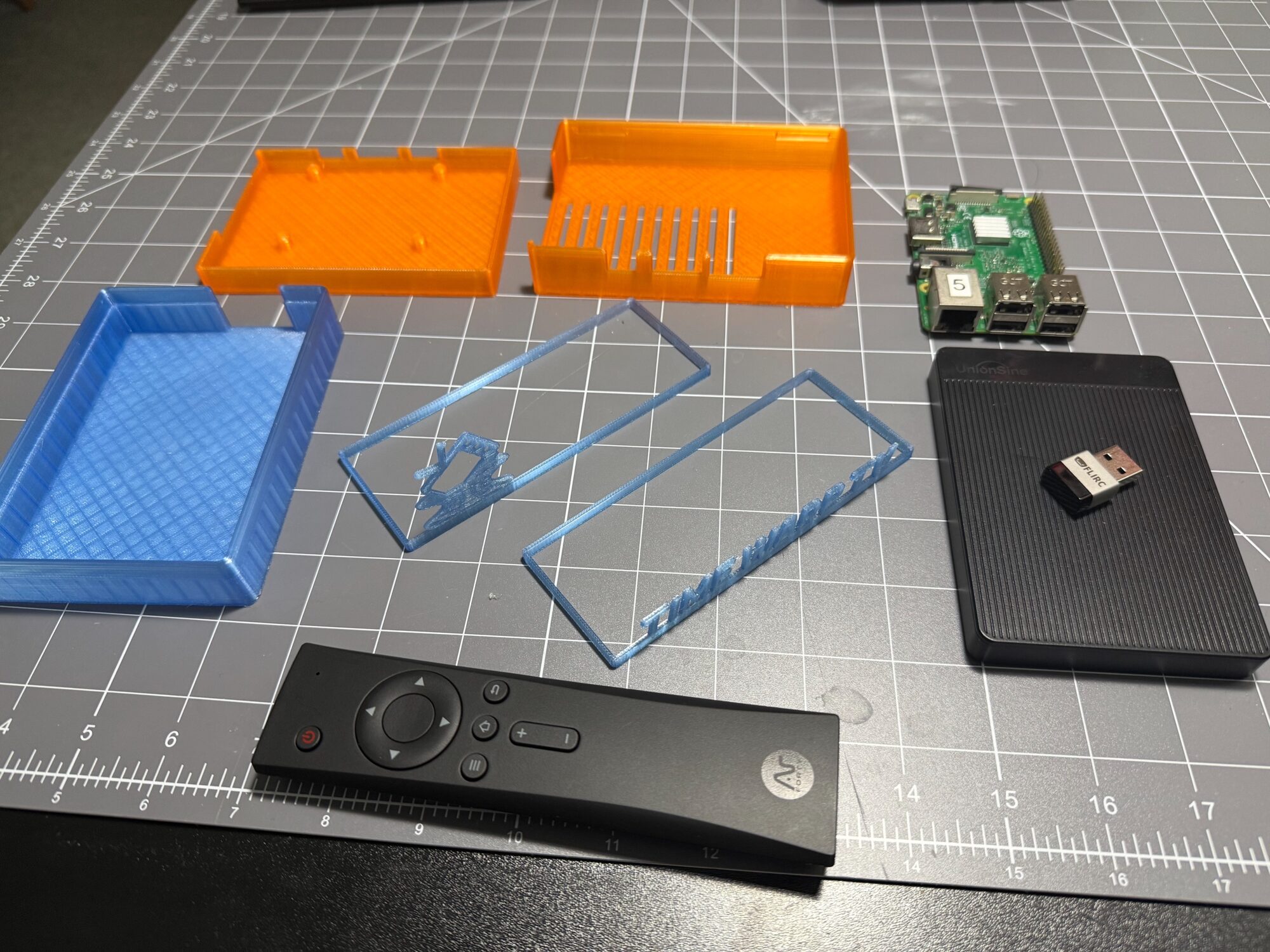
- Raspberry Pi 3 Model B. It's what the whole thing is built and tested on. A Pi 4 or 5 works too, they just use micro-HDMI.
- The official Pi power supply. A weaker phone charger causes under-voltage resets, so this isn't the place to get clever.
- A micro-SD card for the operating system. The videos don't live here.
- A 1 TB UnionSine USB drive for the library. For scale, 2,800 episodes and films of mostly standard-def TV take up about 430 GB.
- A Flirc USB receiver, which is the magic trick here. It learns each button on a remote and replays it as a keystroke, so the Pi just thinks somebody's typing.
- An Argon IR remote, though any IR remote works with the Flirc.
- An HDMI cable and a TV.
Everything the box knows lives on that USB drive: a folder per channel, plus one config.yaml that names them. That's the whole database. Changing the lineup means plugging the drive into any computer, not logging into a Raspberry Pi.
(Some of those are affiliate links, so if you buy through them it's a win-win for both of us!)
The software
I didn't start from a blank file. Time Warp TV began as a fork of NostalgiaBox by landonbtw, and the good bones are all theirs: the channels, the shuffle, the channel banner and volume bar, that CRT look. I got to stand on a working retro TV and tinker.
Under the hood it's plain Python, with the open source mpv player handling the video. The logic (channel scanning, the shuffle, the TV state machine) has zero hardware dependencies and it's covered by tests, while the video player and the remote input sit behind small interfaces. That means you can run the real thing on a Mac or Linux laptop before you buy a single part.
The rest is about making a Raspberry Pi behave like an appliance. It starts on power-up with no login. Resume positions survive a power cut. Power it up without the drive and it asks you to connect the drive, then starts by itself when you do. A new room, a new house or a new TV takes no setup at all, which matters when your target audience is 6 and 3.
Why there's a lock instead of a bedtime
The original plan was a 9pm time gate, so the late-night channels would only open after bedtime. The trouble is that a Raspberry Pi has no battery-backed clock, and this one has no network to correct it, so the time drifts and resets across power cuts.
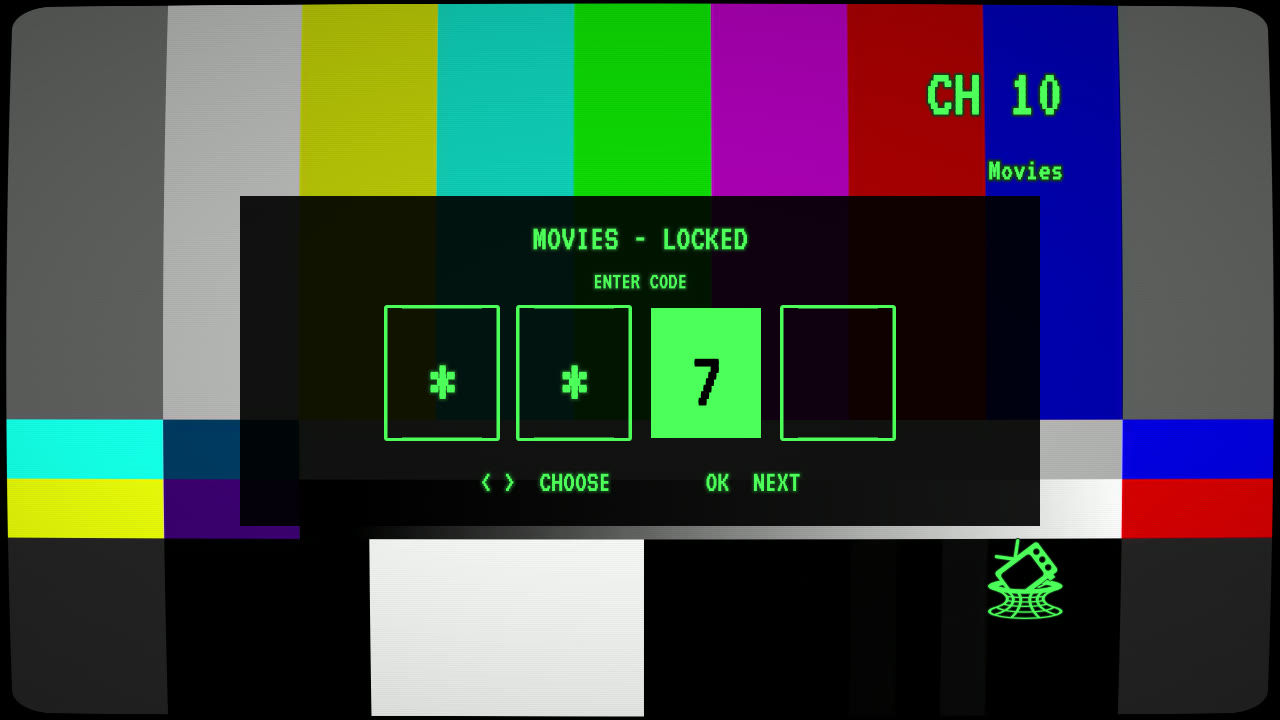
A time gate on a wrong clock fails in the worst possible direction: it can show the adult channel in the middle of the day. A passcode can't fail that way (and it's less code). You dial it in with the remote's arrows and OK, no number pad needed.
Nothing interrupts the show
Commercials and break cards only play after an episode finishes, never in the middle of one. Breaks only fire on a natural end of episode, so there's no way for one to start while a show is playing.
There are no popups either. Movie channels always resume, with a banner that says RESUMING - PRESS OK TO START OVER for a few seconds. A yes/no popup would block the screen on every channel change and ask a 6-year-old for a two-button decision at the exact moment they've decided to leave.
(That's Big Buck Bunny on screen, © Blender Foundation, CC BY 3.0.)

The 3D printing
The box isn't a store-bought enclosure. I printed it, and the whole thing is free on MakerWorld. [NEEDS ROB: what you modeled it in, and anything you learned getting the fit right]
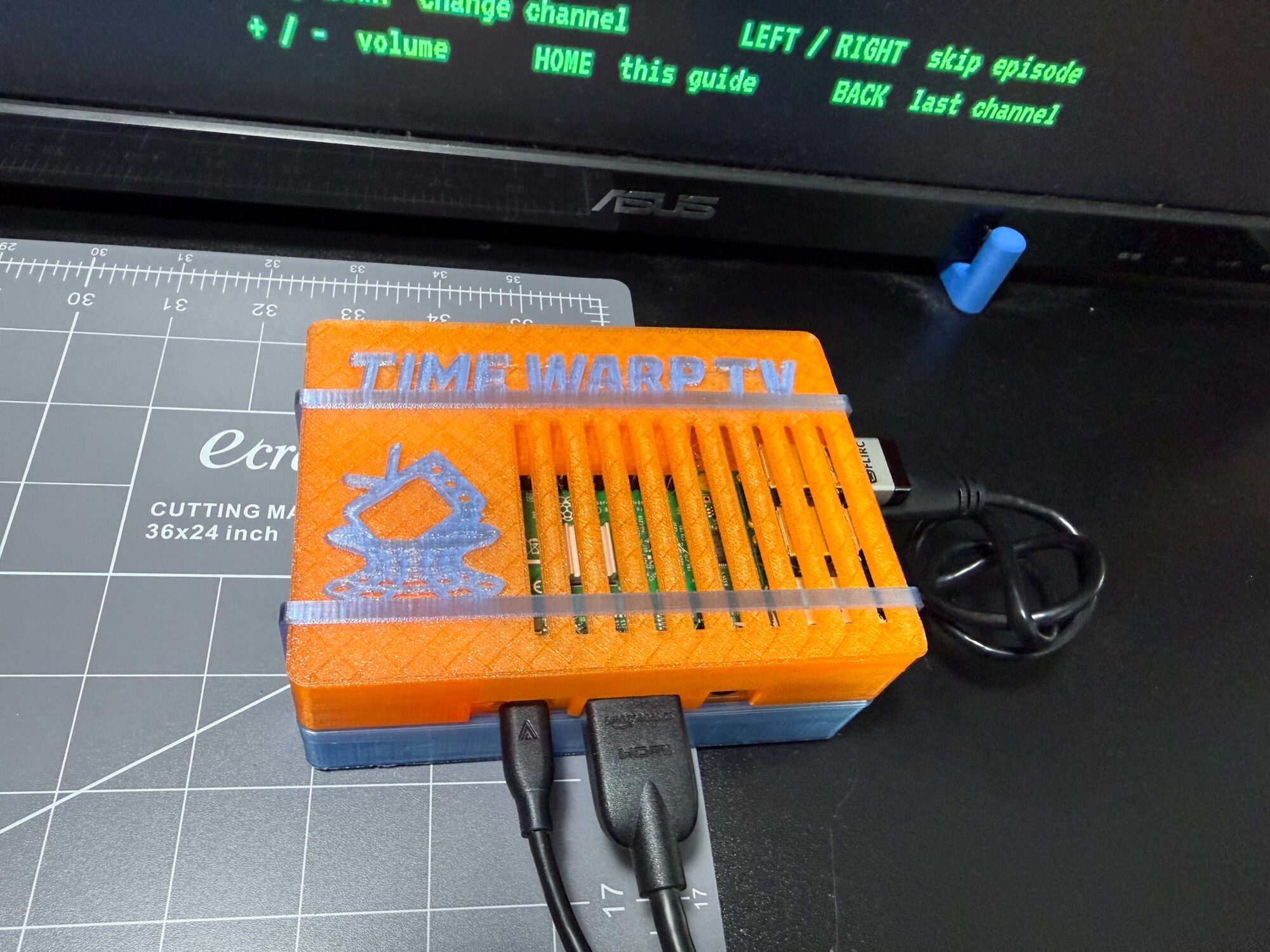
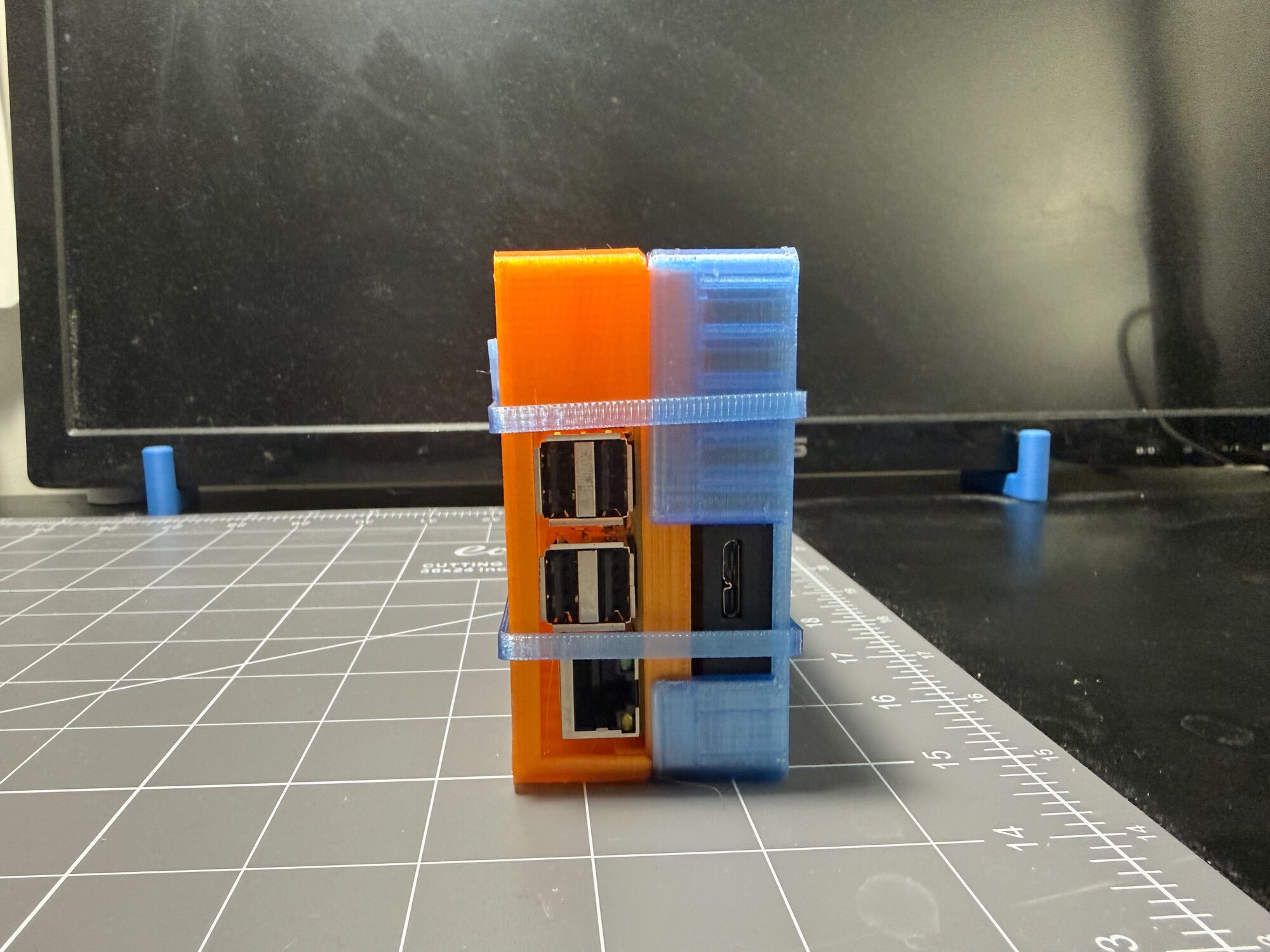
It comes in two halves: an orange Pi tray and vented lid, and a translucent blue tray that holds the drive (mine is 116 × 80 × 12.7 mm), plus a little clamp that keeps the Pi put. Bands wrap around the stack, and they come in three interchangeable styles: the logo, the TIME WARP TV wordmark, or plain. Print all three if you can't decide. (I couldn't.)
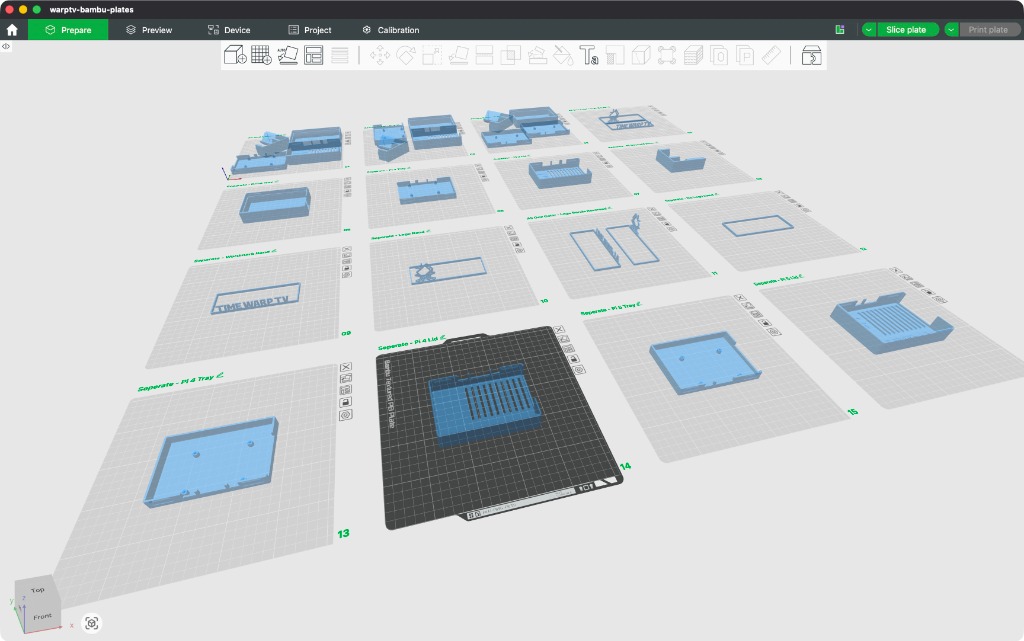
There are separate Pi parts for the 3, 4 and 5 because the standoffs and IO differ slightly on each one. Rather than make you hunt through a folder of files, it's one 3MF project with 16 labelled plates, so you just pick plates. The "All One Color" plates are the shortcut, and the "Separate" plates are for printing a band in a second color or reprinting one piece without re-slicing. The profile is PETG at 0.2 mm layers, 2 walls and 15% infill. (Not on Bambu Studio? Every part is an STL on GitHub too.)
The listing says 35 hours and 716 g, which sounds terrifying, but that's all 16 plates. The Pi 3 plate is about 6 hours and 137 g, and the bands add about an hour and 10 g.
Now airing
The software is open source (MIT), and the full build guide is on GitHub if you'd like to make your own. A huge thanks goes out to landonbtw for NostalgiaBox, because this project wouldn't exist without it.
As far as network executives go, I work cheap.
If you've got a weird little hardware idea of your own, I'd love to help out. Feel free to reach out.